Use DLIO
1 Overview
When a robot moves in an unknown environment, it needs to obtain its pose information in real-time and construct a structural representation of the surrounding environment (such as landmarks or a global map). By using the SLAM (Simultaneous Localization And Mapping) algorithm, the system can simultaneously localize itself and build an environmental map, enabling a deeper understanding of complex environments.
2 Application Method
This document uses Hesai's JT128 lidar as an example to introduce the usage process of the open-source DLIO (Direct Lidar-Inertial Odometry) algorithm.
-
JT128 is a compact 360° x 189° ultra-hemispherical 3D lidar designed for robotics and industrial applications. It features a resolution of 0.4° (H) x 0.74° (V) and a built-in IMU, making it suitable for integration into mobile robots for perception and mapping tasks (see here for more information about JT128).
-
DLIO is a lightweight lidar-inertial odometry algorithm with a streamlined structure and robust performance, supporting various lidar data formats. For a detailed introduction and installation instructions, see Direct Lidar-Inertial Odometry (DLIO).
Steps to Run DLIO with JT128:
- Configure the ROS environment (refer to ROS Environment Setup).
Note: It is recommended to install and use ROS Noetic.
-
Follow the installation and compilation instructions in the readme files of DLIO and Hesai ROS Driver.
-
Properly connect the lidar and configure the Hesai ROS driver.
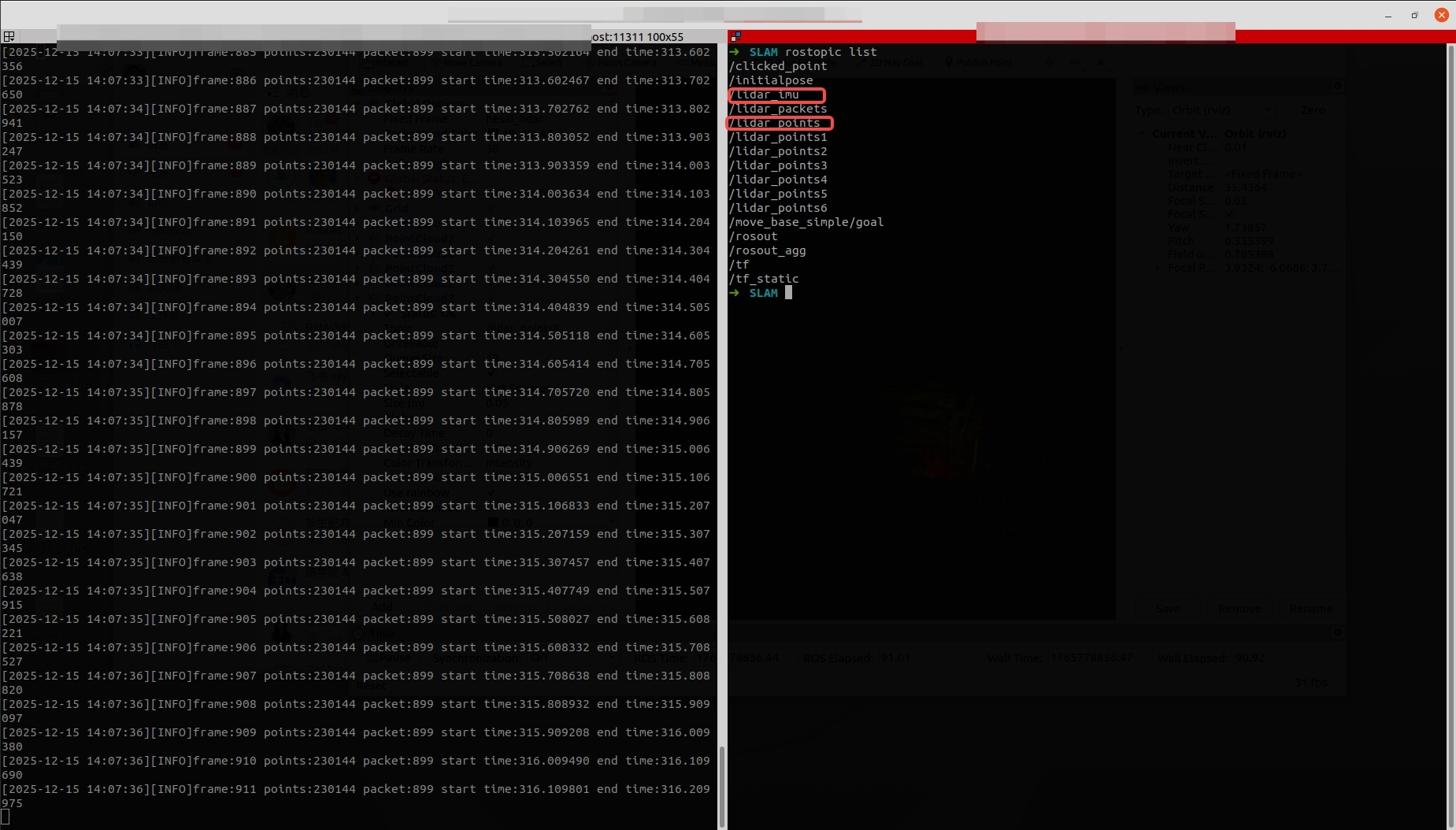
Note: If IMU data is used, configure send_imu_ros: true in the config.yaml file. After configuration, verify whether the driver is correctly sending IMU data and point cloud data as shown below:
- Open another terminal and run the following command to execute the DLIO algorithm:
roslaunch direct_lidar_inertial_odometry dlio.launch \
rviz:=true \
livox_topic:=/lidar_points \
imu_topic:=/lidar_imu
3 SLAM Results Demonstration
The SLAM results of JT128 after running the DLIO algorithm are shown in the example below:
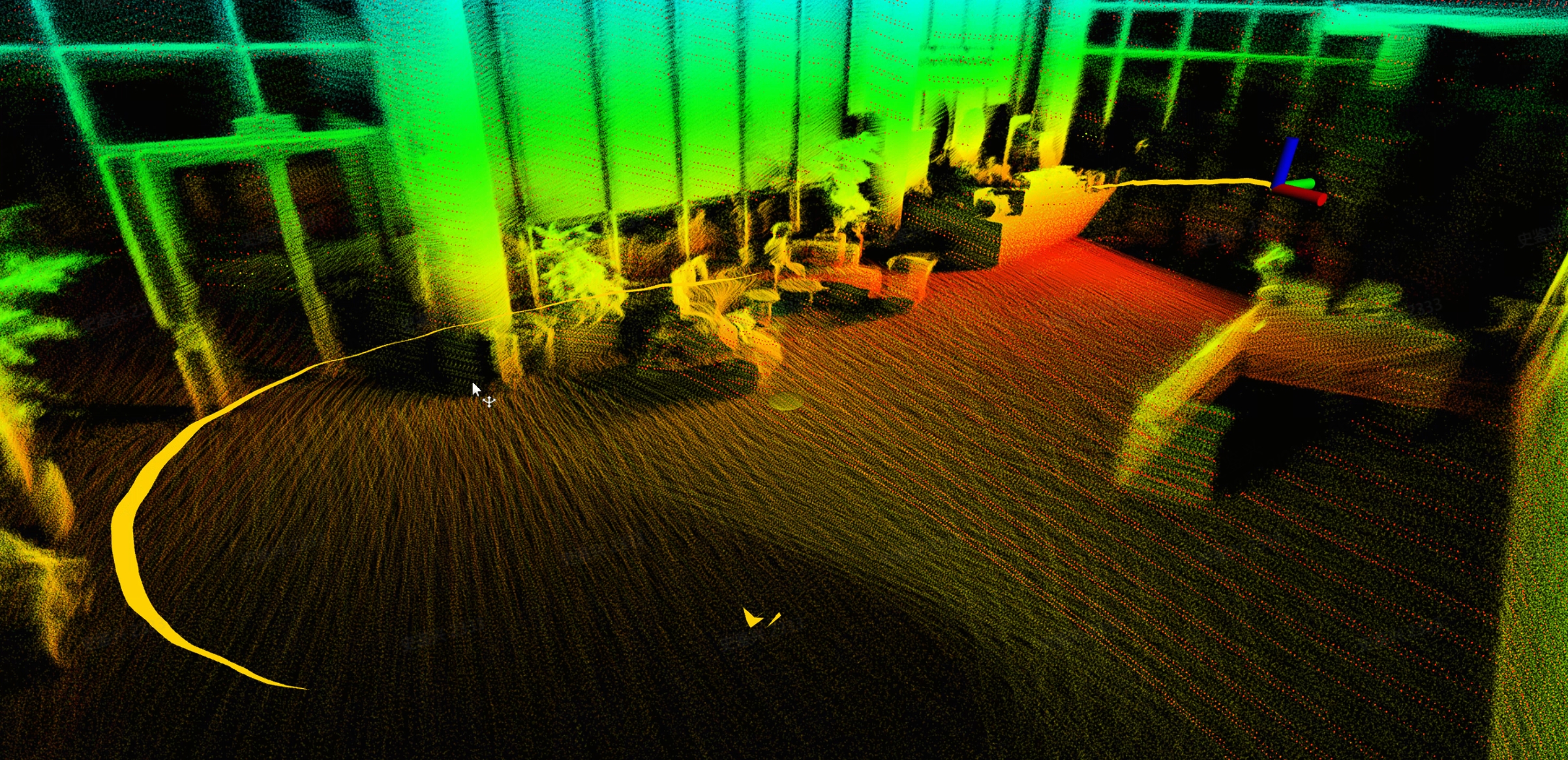
DLIO outputs the current pose, historical trajectory, and point cloud map based on the lidar point cloud and IMU data. You can use the following command to export the point cloud map in .pcd format:
rosservice call /robot/dlio_map/save_pcd LEAF_SIZE /path/to/your/directory